
Free Online Background Remover – 100% Browser-Based
Remove image backgrounds instantly. No upload. No sign-up. Your photos stay on your device.
- No Upload Required
- Works in Your Browser
- Free Forever
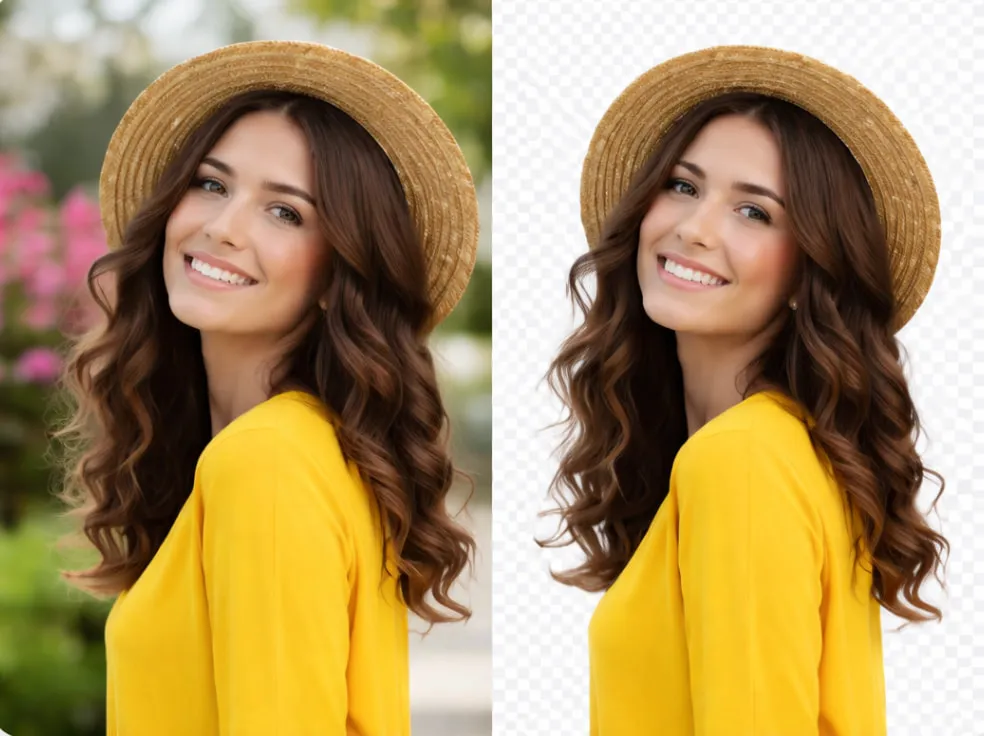 ✓ AFTER
Privacy First Image Tools. All tools run completely in your browser. We do not store or upload your images.
All Free Online Image Tools
Remove Background
Remove image background with high accuracy. No upload – runs in your browser.
Resize Image Online
Resize your images to any dimension you want.
Compress Image Online
Compress your images to reduce the file size.
Convert JPG, PNG, WebP
Convert images to JPG, PNG, or WebP. Free, no upload.
Create Official Passport Photo
Create passport, visa, and other official photos.
Crop Image
Crop your images to the perfect size.
Rotate & Flip
Rotate your images to the correct orientation or flip them horizontally or vertically.
Add Watermark to Image
Add text or image watermark with transparency control. No upload – runs in your browser.
HEIC to JPG Converter
Convert HEIC photos to JPG online. Free, no upload.
Create Passport & Visa Photos Online
Create official passport, visa, and ID photos with correct size and background — instantly in your browser.
Create Official Photo NowHow to resize, compress, or edit your image
Use our free tools in your browser. No upload to our servers—your photos stay private. Works on desktop and mobile.
Upload your image
Choose a tool above, then upload your photo. We support JPG, PNG, WebP, and BMP. Everything runs in your browser—your image never leaves your device.
Edit or adjust
Resize to new dimensions, compress to a target file size, crop to a region, rotate or flip, or remove the background. Preview the result before continuing.
Download
Download your edited image. No watermarks, no signup, no limits. Use it in your project, email, or website right away.
Compress image · Resize image · Remove background · All guides
Free Online Image Editor Tools – Resize, Compress & More
TinyImageKit gives you a full set of free online image editor tools that run entirely in your browser. You can remove background free from any photo without uploading it to our servers. Our background remover uses AI that runs on your device, so your images stay private. Need to shrink a file? Use our compress JPG online tool to reduce image size for websites, email, or forms. Set a target file size (e.g. 50KB or 1MB) and get optimized images in seconds.
If you need to change dimensions, our free image resize tool lets you set width and height in pixels or by percent. Resize one image or many at once. For social media or print, use our crop tool with fixed aspect ratios (1:1, 4:3, 16:9) or free crop. You can also convert PNG to JPG, JPG to PNG, WebP to JPG, or HEIC to JPG — all in the browser, no signup. Need a compliant ID photo? Our create passport photo online tool helps you make official passport, visa, and DMV photos with the right size and background.
Every tool is free, with no watermarks and no account required. We don’t store or see your images; processing happens locally in your browser. That means faster results and complete privacy. Whether you’re compressing images for a website, resizing for email, removing backgrounds for product photos, or creating a passport photo online, you can do it here without uploading files to the cloud.
We also publish step-by-step guides: how to compress without losing quality, PNG vs JPG, resize for Instagram, image optimization for the web, and more. Visit our image editing guides for tutorials that link directly to the right tool. Try our remove background, compress image, resize image, crop image, and official photo maker — all free and all in your browser.
Why Choose Us
Fast Processing
Instant editing directly in your browser. No upload wait — your images are processed locally.
100% Private
Images never leave your device. We do not store or upload your photos. Everything runs in your browser.
Completely Free
No subscriptions. No hidden fees. No watermarks. Use all tools as much as you need.
What people are saying
What people are saying
Finally, a set of image tools that actually run in the browser. I compress and resize photos for my blog without uploading anything—no account, no waiting. Exactly what I needed.
I use the remove background and resize tools together for product photos. Fast, no watermarks, and my images never leave my computer. Great for small businesses.
Frequently Asked Questions
- We offer free online tools to resize, compress, crop, rotate, and remove backgrounds from images. We also have an official photo maker for passport and visa photos. All tools run in your browser—no upload to our servers.
- Yes. Processing happens entirely in your browser. Your images never leave your device or get sent to our servers. We do not store, view, or share your photos.
- No. All tools are free to use with no account required. There are no hidden fees, no watermarks on downloads, and no limits on how many images you process.
- Our tools support common formats including JPG, JPEG, PNG, WebP, and BMP. The compress tool handles bulk compression; the resize and crop tools work with standard image types. Results can be downloaded in the format you need.
- You control the trade-off. Resizing changes dimensions; compressing reduces file size. You can set target file size (e.g. 1 MB), max dimensions, and quality. We keep quality as high as possible for your settings.
- Common uses: fitting images for websites and email, meeting form upload limits (e.g. 50KB or 100KB), saving storage, and preparing photos for social media or print. Our guides cover resize to 20KB, 50KB, 100KB and reduce image size in KB or MB.
- Yes. Our tools work in any modern web browser on desktop, tablet, or mobile. No app download required—just open tinyimagekit.com and use the tool you need.
- Use our remove background tool: upload your image, and the tool runs in your browser to detect the subject and remove the rest. You get a PNG with a transparent background (or choose white, black, or another color). No signup, no upload to our servers.
Popular tools & guides
- Resize and reduce image sizetinyimagekit supports all common image formats including JPG, PNG, WebP. Resize or compress in your browser.
- Convert image to JPG, PNG, WebPConvert images to JPG, PNG, or WebP online for free. No upload, runs in your browser.
- HEIC to JPGConvert HEIC to JPG online for free. iPhone photos to JPG in your browser.
- PNG to JPGConvert PNG to JPG online for free. Reduce file size, no upload.
- JPG to PNGConvert JPG to PNG online for free. No upload, runs in your browser.
- Resize image to 20 kbResize image to 20 kb without losing quality. Just upload your photo to get started. Free, no signup.
- Resize image to 100 kbResize image to 100 kb without losing quality. Just upload your photo to get started. Free, no signup.
- Resize image to 50 kbResize image to 50 kb without losing quality. Just upload your photo to get started. Free, no signup.
- Reduce image size in kb or mbReduce image size in kb or mb with automatic resolution and quality. Free online tool in your browser.